How to Mine Bitcoin on PC for Beginners Step by Step
· based on the channel FINCOR
Key takeaways
- Unmineable software allows mining various cryptocurrencies and pays out in Bitcoin.
- Bitcoin mining on PC requires a compatible GPU and mining software configuration.
- Creating a Bitcoin wallet is essential to receive mining payouts.
- Optimizing settings can reduce pool fees from 1% to 0.75%.
- Mining profitability depends on hardware efficiency and electricity costs.
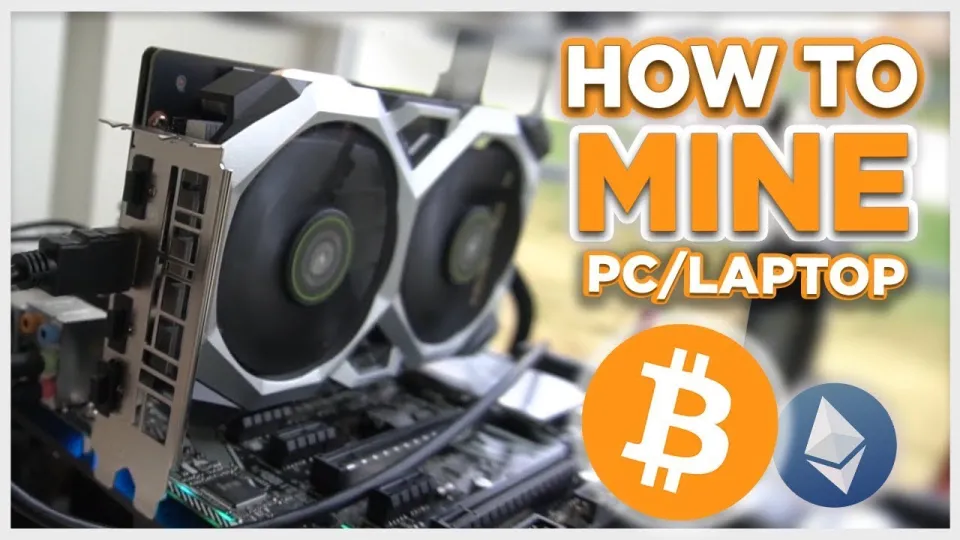
Bitcoin mining on a PC involves using specialized software and hardware to solve complex mathematical problems that validate transactions on the Bitcoin network. This process rewards miners with Bitcoin, but requires careful setup to be effective and profitable. One of the most user-friendly options for mining on Windows PCs today is the Unmineable software, which supports mining various cryptocurrencies and pays out directly in Bitcoin.
What is Unmineable and Why Use It for PC Bitcoin Mining
Unmineable is a versatile mining software designed for beginners who want to mine cryptocurrencies on their PC without dealing with complex configurations. Unlike traditional Bitcoin mining that usually requires ASIC hardware, Unmineable allows users to mine altcoins with GPUs or CPUs and receive their rewards in Bitcoin. This makes it accessible for PC miners who want to earn Bitcoin with their existing hardware.
To get started, download the latest version of Unmineable from its official GitHub release page. It’s important to download software from trusted sources to avoid security risks. Unmineable supports Nvidia and AMD GPUs, which are common in consumer PCs, making it a practical choice for many users.
Setting Up Your Bitcoin Wallet
Before mining, you need a Bitcoin wallet address to receive your rewards. Wallets like Exodus and Coinbase provide easy registration and secure storage for your Bitcoin. Exodus is especially beginner-friendly with a desktop app that integrates multiple cryptocurrencies. Setting up your wallet typically involves downloading the wallet software, creating an account, and backing up your recovery phrase.
Having a wallet ready ensures that once your mining earnings accumulate, they can be transferred safely and conveniently.
Installing and Configuring Unmineable for Maximum Efficiency
After downloading Unmineable, follow these steps to configure it for Bitcoin mining:
- Extract and run the Unmineable application.
- Select Bitcoin (BTC) as your payout coin.
- Enter your Bitcoin wallet address.
- Choose your mining hardware (GPU or CPU).
- Adjust mining intensity and other parameters based on your system's capabilities to balance performance and hardware safety.
Unmineable’s interface also shows your hashrate (mining speed) and estimated earnings in real-time. Monitoring these stats helps you optimize your setup.
A valuable tip to improve profitability is using the referral code "FINCOR" during setup, which reduces Unmineable’s default pool fee from 1% to 0.75%, increasing your net earnings.
Understanding Hashrate, Earnings, and Payouts
Hashrate measures how many computations your hardware performs each second while mining; higher hashrate leads to more chances of earning Bitcoin. Your earnings depend on your hashrate, the total network difficulty, and the current Bitcoin price.
Unmineable pools mined coins and distributes payouts periodically once your earnings reach a minimum threshold. It’s important to track your mining progress through the software dashboard and wallet balance.
Keep in mind mining rewards fluctuate with market prices and network difficulty, so consistent monitoring and adjustments may be necessary.
Common Questions About Bitcoin Mining on PC
Many new miners wonder if PC mining is profitable or if it will harm their hardware. Mining does put stress on GPUs and increases electricity consumption, which affects overall profitability. Using efficient GPUs and managing mining intensity helps mitigate wear and reduce power costs.
Also, note that not all PCs are suitable for mining Bitcoin directly with ASICs. Unmineable’s approach of mining altcoins and paying out in Bitcoin offers a practical alternative for typical PC users.
Useful Links
Итог
Mining Bitcoin on a PC is more accessible than ever thanks to software like Unmineable, which simplifies the process and allows beginners to earn Bitcoin without expensive ASIC miners. Setting up a secure Bitcoin wallet such as Exodus is crucial for receiving payouts. Optimizing your mining configuration and using referral codes can increase profitability by reducing fees. Remember that PC mining depends heavily on your hardware and electricity costs, so monitor your setup carefully. This guide is based on a detailed walkthrough by the FINCOR channel, a reliable source for cryptocurrency mining tutorials.
Visit Exodus to create your Bitcoin wallet and start mining today!
Questions & answers
Is it profitable to mine Bitcoin on a regular PC?
Mining Bitcoin directly on a regular PC with ASIC miners is generally not profitable due to high competition and energy costs. However, using software like Unmineable to mine altcoins and receive payouts in Bitcoin can be a more accessible approach for PC users.
What hardware do I need to mine Bitcoin on a PC?
A PC with a powerful GPU, preferably Nvidia or AMD, is required for mining using Unmineable. The efficiency of your GPU greatly affects your mining speed (hashrate) and profitability.
How do I reduce mining pool fees when using Unmineable?
You can reduce Unmineable's default 1% pool fee to 0.75% by applying the referral code "FINCOR" during setup. This small fee reduction can increase your net earnings over time.
Can Bitcoin mining damage my PC hardware?
Mining puts continuous stress on your GPU and increases electricity usage, which can accelerate hardware wear if not managed properly. It's important to monitor temperatures and adjust mining intensity to protect your components.
Source: Bitcoin Mining — How to MINE Bitcoin on PC 2025 | For Beginners | Step by Step Guide · Markdown version